Author workflows
The YAML editor is the primary interface for creating and editing workflows. This page describes the editor's components and features.
To access the YAML editor for workflows, you must:
- Enable the Elastic Workflows advanced setting (
workflows:ui:enabled). - Have the appropriate subscription. Refer to the subscription page for Elastic Cloud and Elastic Stack/self-managed for the breakdown of available features and their associated subscription tiers.
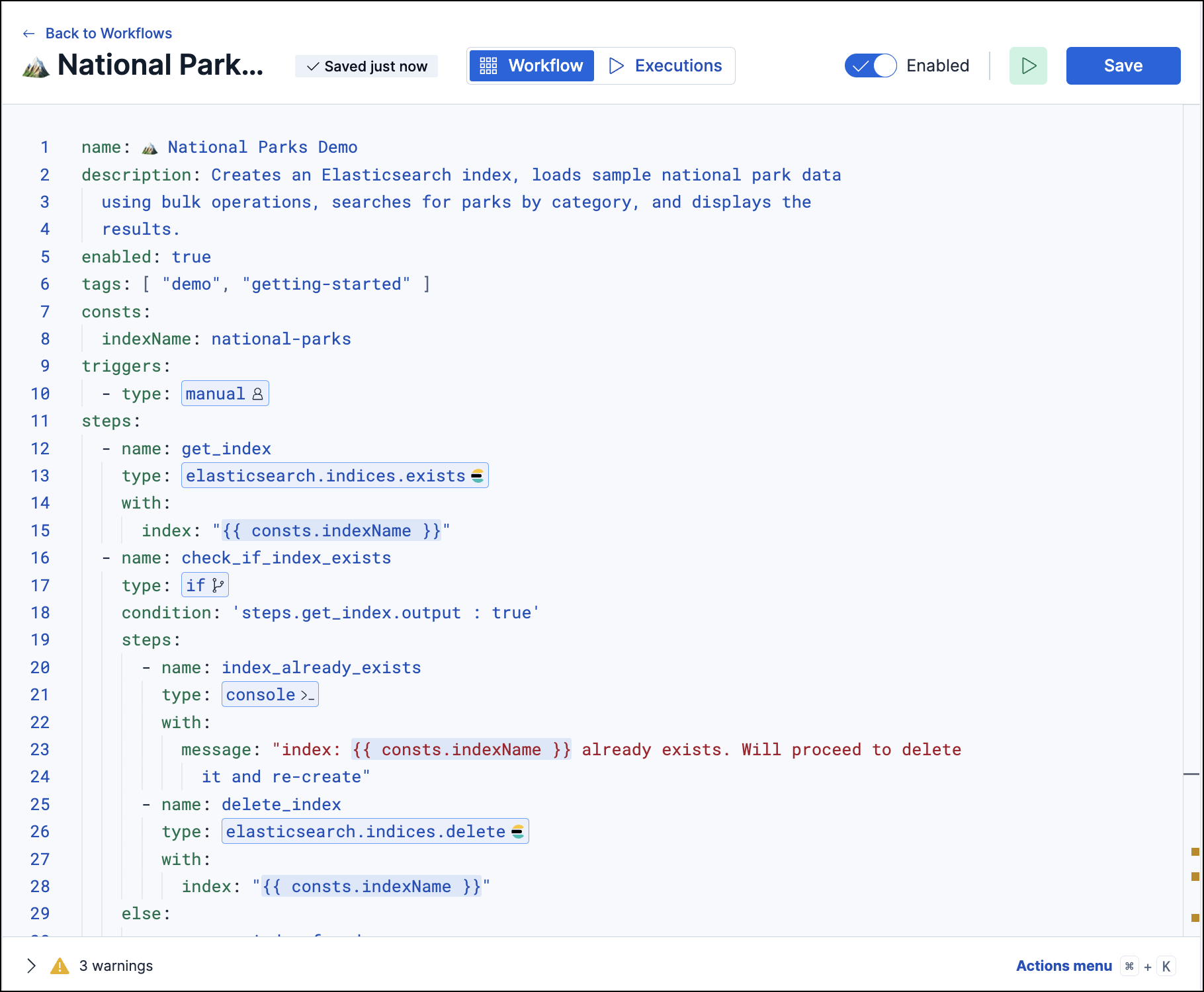
The editor layout is composed of the following elements:
| Component | Description |
|---|---|
| Editor pane | The main area for writing and editing workflows. To learn more about the expected workflow structure, refer to Workflows |
| Actions menu | A quick-add menu for pre-formatted triggers and step types. |
| Save button | Saves the current workflow. |
| Run button | Manually runs the entire workflow or an individual step. - Entire workflow: Click the Run icon (next to Save). - Individual step: Select the step in the editor pane, then click the Run icon . |
| Executions tab | Shows execution history and real-time logs. |
| Validation logs | Shows validation successes and failures. Some common validation errors include: - Invalid YAML syntax because of incorrect indentation or formatting - Missing a required field or property (for example, name, type) - The step type is unknown or doesn't match a valid action - Invalid template syntax because of malformed template expression |